
Convert Files & Calculate Values All in One Place
Convert documents, images and archives into different formats online securely. File To Convert also offers unit converters and calculators for everyday conversion tasks Change file formats, convert documents, and use online calculators from a single platform. Image Format Advisor and Calculate. all in one place.
What You Can Do with File To Convert
Choose the tool based on what you want to convert, not software names.


AI Document Analyzer
Upload documents and get instant AI-powered analysis. Extract summaries, key points, and insights from DOC, DOCX, PDF, and text files without downloads or registration.


Image Converter
Convert images instantly between JPG, PNG, WEBP, SVG, and more. File To Convert keeps original quality while changing image formats for web, design, and everyday use—no software required.
Word to PDF
Turn DOC and DOCX files into reliable PDFs in seconds. Keep layout, fonts, and formatting intact so your documents look the same on every device—perfect for work and study.

Excel to PDF
Convert Excel spreadsheets into shareable PDFs without breaking tables, charts, or formulas. Ideal for reports, invoices, and data you don’t want edited.


Online Calculators
Solve everyday calculations instantly using our fast online calculators. From basic math to unit conversions, get accurate results without downloading apps.
Advanced Calculators
Access advanced calculators for finance, percentages, interest, and business calculations. Built for professionals who need quick, reliable answers.
How to Convert Files or Calculate Values in 4 Simple Steps
Using File To Convert is fast and effortless. Just upload, select, convert, and download.
Upload Your Files
Click “Choose Files” or drag and drop your documents, images, or spreadsheets into the upload area. You can also skip this step and enter values directly when using calculators.
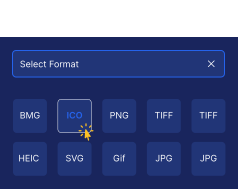
Select Desired Format or Calculator
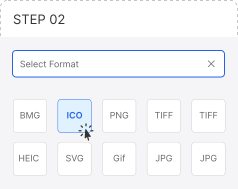
Choose the file format you want to convert to, or select the calculator you need. File To Convert adapts automatically to your file type or calculation task.
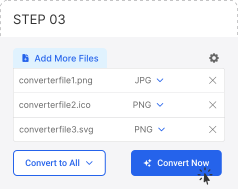
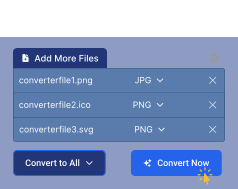
Convert or Calculate
Click “Convert Now” or “Calculate” and let File To Convert handle the process instantly with fast, secure processing.
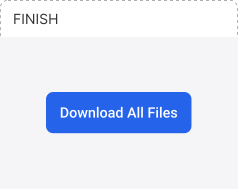

Download with Ease
Your files or results are ready. Download converted files individually or all at once, or instantly copy calculated values.
File To Convert Features
Convert Between Unlimited File Formats
Change images, documents, and archives across unlimited format combinations. One simple tool for all your file conversion needs—fast, clear, and secure.
Built-In Calculators for Quick Conversions
Use smart calculators to instantly convert units, values, and measurements. Ideal for students, professionals, and everyday calculations.
Works on Any Device
File To Convert runs smoothly on mobile, tablet, and desktop. Convert files anytime, anywhere—no installation, no setup.
Other Converter Tools
File To Convert gives you quick access to essential file conversion tools and built-in calculators Measurement & Value Calculators Quick Math & Percentage Tools all in one place. Convert files, switch formats, or calculate values instantly with simple one-click tools.
Popular File Converter Tools
Calculator & Conversion Tools
Advanced Calculators
Best Online File Converter Tool and Calculator
FileToConvert.com makes file conversion simple, fast, and accessible for everyone. FTC File Converter helps students, creators, and professionals convert images,documents and calculate values directly in their browser with no sign-up or software installation. Our platform focuses on speed, accuracy, wide format support, and ease of use, so you can convert files instantly on any device with complete confidence.
Image Converter
Convert images between JPG, PNG, SVG, WEBP, HEIC, and other popular formats using a fast online image converter. File To Convert focuses on speed, accuracy, and quality preservation, allowing users to switch image formats instantly without installing software. Ideal for designers, developers, students, and everyday image conversion tasks directly in the browser.
Document Converter
Convert Word and Excel files into clean, professional PDFs online while preserving formatting, layout, and text structure across all devices. File To Convert is built to handle common document conversion needs without complexity, making it perfect for reports, assignments, and business documents that require reliable results with no downloads or registration.
Bulk File Converter
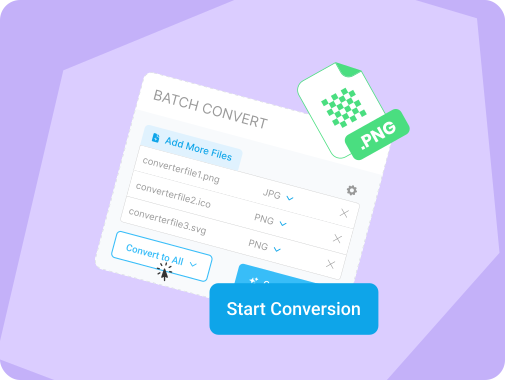
Convert multiple files at the same time using the bulk file converter. Upload several images or documents together and process them in a single action to save time. This feature is designed for efficiency, helping users manage large file conversion tasks quickly while maintaining consistent output quality.
File Format Changer
Quickly switch file types using a simple upload-and-convert workflow. Select your desired output format and download instantly. The file format changer is optimized for ease of use and fast processing, allowing users to convert files without technical knowledge or unnecessary steps.
Online Calculators
Perform fast calculations and unit conversions directly online using built-in calculators designed for quick answers, not complex tools. File To Convert supports length, weight, temperature, area, volume, speed, and time conversions. Each calculator provides instant results with reverse calculation support, making it ideal for homework, office tasks, and everyday use.

Advanced Calculators
Access advanced calculators for finance, percentages, and complex mathematical operations. These tools are built for accuracy and professional use, helping students and professionals solve calculations efficiently. Everything works directly in your browser with no extra apps, downloads, or complicated interfaces.








Why Choose File To Convert
File To Convert is a simple utility platform built to Image Format Advisor and solve everyday file and value conversion problems without unnecessary features. Whether you need to change a file format or calculate unit values, the platform focuses on speed, accuracy, and ease of use. It works without registration and continues to expand with task-focused tools instead of generic software.
Task-Focused Conversion Tools
We build tools for specific tasks, not bloated software. Each converter and calculator is optimized to do one job well, ensuring accurate results, faster processing, and a smoother experience for students, professionals, and everyday users.
Built-In Online Calculators
Alongside file tools, File To Convert offers quick calculators for length, weight, temperature, area, speed, and time. These calculators provide instant, reverse-supported results, making them ideal for homework, office work, and daily calculations.
Fast, Simple & Registration-Free
All tools work instantly without sign-ups or downloads. Just upload, convert, or calculate. We prioritize speed, ease of use, and accuracy, so users can finish tasks quickly and move on without interruptions or account creation.
Always Expanding Utility Platform
File To Convert is continuously evolving with new file formats and calculators added regularly. Our goal is to become a practical conversion hub—covering file changes and value calculations in one place, built purely for real-world needs.
Frequently Asked Questions (FAQ)
Is File To Convert free to use?
Yes, all file conversion and calculator tools are completely free to use online without creating an account or signing up.
Are my files safe on File To Convert?
Yes, files are processed securely and automatically deleted from our servers after conversion to protect your privacy.
Do I need to install any software?
No installation is required. All tools work directly in your browser on desktop and mobile devices.
Can I convert multiple files at once?
Yes, the bulk file converter allows you to upload and convert multiple files simultaneously, saving time and effort.
Can I use calculators without uploading files?
Yes, online calculators work independently and can be used instantly for unit and value conversions.
Which file formats are supported?
FileToConvert supports a wide range of popular image and document formats, with new conversion options added regularly.
How can I contact you to give feedback?
For feedback, please send us a message at (email or contact).
Contact now