
Free Image Converter
Convert your images in seconds.
How to Convert Files or Calculate Values in 4 Simple Steps
Using File To Convert is fast and effortless. Just upload, select, convert, and download.
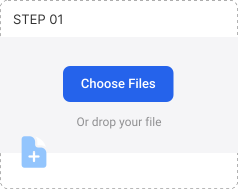
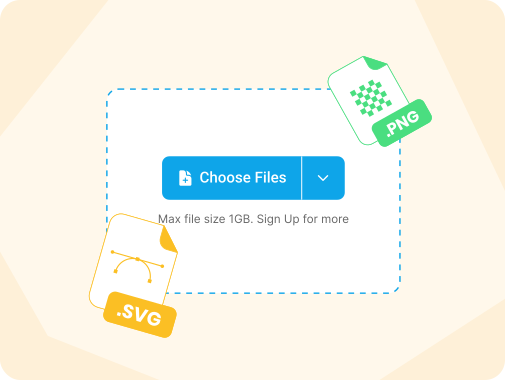
Upload Your Files
Click “Choose Files” or drag and drop your documents, images, or spreadsheets into the upload area. You can also skip this step and enter values directly when using calculators.
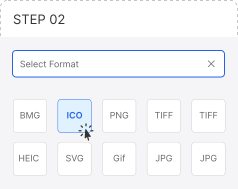
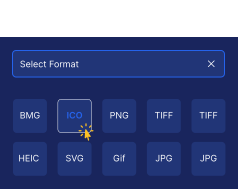
Select Desired Format or Calculator
Choose the file format you want to convert to, or select the calculator you need. File To Convert adapts automatically to your file type or calculation task.
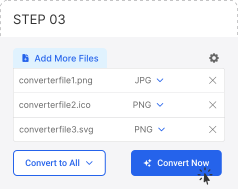
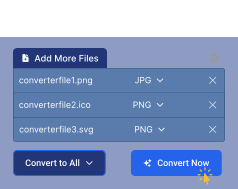
Convert or Calculate
Click “Convert Now” or “Calculate” and let File To Convert handle the process instantly with fast, secure processing.
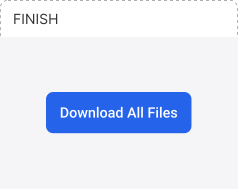

Download with Ease
Your files or results are ready. Download converted files individually or all at once, or instantly copy calculated values.
More Than 100 Formats
This implies that we can convert more than 1000 types of changes, which is more than many other image file converters.
Quick and Simple
Just drag pictures to the screen. Just drag your images to the screen, Press the "Convert" button, and wait a minute or two. After this, click the download button.
Custom Settings
Most conversion types support advanced options, which include image size. Like small video editing programs, an image file converter provides functions like selecting the quality, size, and codec type.
All Image Converter Tools
Best Online Image Converter Tool
The FileToConvert tool is equipped to provide professional services when image conversion is needed. Its remarkable conversion technology allows users to shift from one format to another in seconds. You can also check the image editing menu of our free converter.
Fast & Easy Image Conversion
Conversion is one aspect of the service that sets FileToConvert apart; it takes no minutes to convert an image, which means it is easy and simple. The photo converter can also handle larger dimensions and quickly convert images into any chosen format.
In addition, getting any extra plugin or program is unnecessary, or you may not want to have it installed. The center is thorough, straightforward, and appropriate.
120+ Options for Converting Images
Worry no more if you are sick and weary of switching between conversion programs to obtain a single tool because it supports a particular format.
The good news is that over 100 other conversion options are available on FileToConvert. We have every image format converter you may need. After conversion, there is no need to worry about your Image getting damaged. The same quality and clarity of the images you send will be returned to you online.
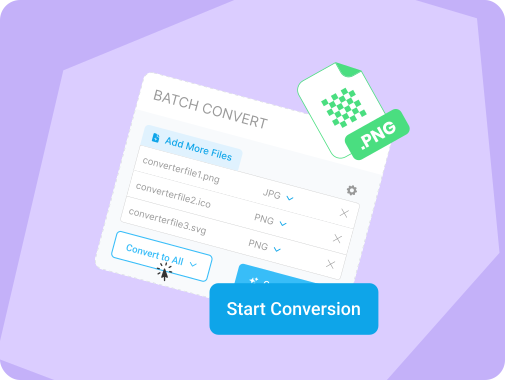
FileToConvert Batch Conversion
The system makes it simple because it incorporates a feature that allows images to be converted one at a time! Free Image Compressor Online Has it ever bothered you to go through various tools where the end objective is the same, but no tool goes into an image tool? The good news is that FileToConvert has another hundred editing options. Certainly, whatever image type you need, do not be surprised; it is there. All the assorted photos in a collection will maintain their original quality even after full conversion.
Free Online Image Compressor
Has it ever happened that there's a separate tool for every format you want to convert into but not a single converter for all the formats? Fortunately, FileToConvert has more than 100+ conversion methods. Indeed, whatever image type you are after, we have got you covered.
But then, there's no such concern about loss of quality in the converted photo. FileToConvert will reproduce your Image sharply, just like the other one.
Fast & Easy Image Converter
One hallmark feature of Pixelied is its fast and user-friendly conversion process. Even for larger files, it will only take seconds for the photo converter to convert image files according to your needs.
On top of that, it doesn't require any type of software download or plugin installation for it to work. It's simple, easy to use, and convenient.
120+ Image File Conversion Options
Are you tired of using different conversion tools because one format isn't available in the image converter tool? Luckily, Pixelied has over 100+ other conversion options. Whatever image format you’re looking for, we got you covered.
You won't have to worry about losing the quality of your photo after conversion. Pixelied will produce your image as sharp and clear as the original one.
Batch Convert PNG to WEBP Images
Say goodbye to tools that won't let you convert image format in bulk. Pixelied's batch conversion feature lets you convert an image by batch more conveniently and without hassle!
You can change your images into any format simultaneously, and it will work for you. It is excellent for anyone who needs to convert pictures or various file formats on the go.
Our Image Converter Tools
Being FileToConvert means being able to convert images most simply and conveniently. In just a few clicks, you can switch vertically from one image type to another in seconds.
Image to PNG
Drag and drop an array of images on the desktop. Click on the Convert option, and you must wait for one or two minutes. After this, press the download option.
Image to WEBP
Drag and drop a sequence of images onto the working surface. When clicking the Convert option, please be patient for about one or two minutes. After that, tap on the download option.
Image to JPEG
In our latest version, all processing takes place in the cloud, which will not burden your PC. It's fast and improves your computer's functionality.
Image to AVIF
You can drag several images on the screen. Press the Convert button and wait for a minute or two. Then, click the download button.
Image to TIFF
Drop several images onto the screen. Press the Convert button and wait for a minute or two. Then, click the download button.
Image to HEIC
Our current upgrade performs everything cloud-based so that it won't lag your computer. It's fast and keeps your PC well-maintained.
Image to HEIF
You can grab images on the screen by pressing the Convert button. After that, press the Download button. Then, here you go.
Image to BMP
Our most recent upgrade performs everything cloud-based so that it won't lag your computer. It's fast and keeps your PC well-maintained.
Image to GIF
Press the Convert button and wait for a minute or two. Once you've finished, click the download button.
Frequently Asked Questions (FAQ)
Is File To Convert free to use?
Yes, all file conversion and calculator tools are completely free to use online without creating an account or signing up.
Are my files safe on File To Convert?
Yes, files are processed securely and automatically deleted from our servers after conversion to protect your privacy.
Do I need to install any software?
No installation is required. All tools work directly in your browser on desktop and mobile devices.
Can I convert multiple files at once?
Yes, the bulk file converter allows you to upload and convert multiple files simultaneously, saving time and effort.
Can I use calculators without uploading files?
Yes, online calculators work independently and can be used instantly for unit and value conversions.
Which file formats are supported?
FileToConvert supports a wide range of popular image and document formats, with new conversion options added regularly.
How can I contact you to give feedback?
For feedback, please send us a message at (email or contact).
Contact now!